


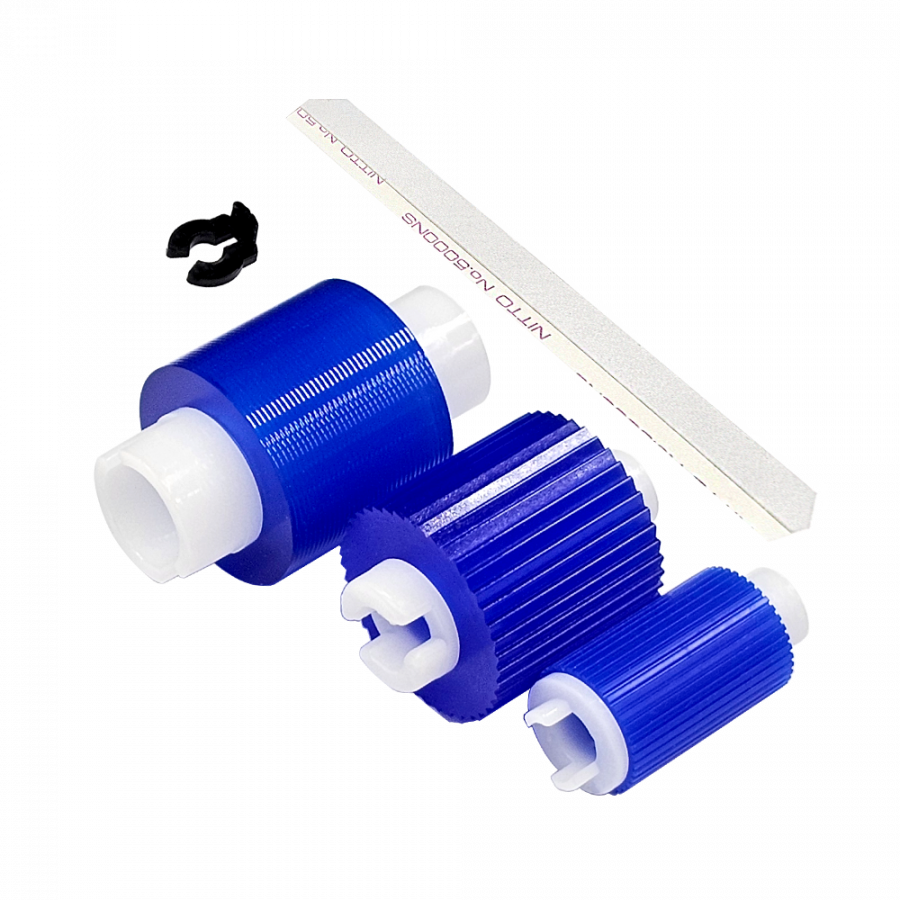
Cassette feed roller set
1 Set: 3 Rollers, 1 Snap Ring, 1 Film

Order Number Cr-C03
Compatible equipment
IR ADV 6065, 6075, 6265, 6275, 6555, 6565, 6575, 8085, 8095, 8105,
8205, 8285, 8295, 7055, 7260, 7270, 9065, 9075, 9270, 9280,
5058, 5068, 5800, 5870, 6800, 6870
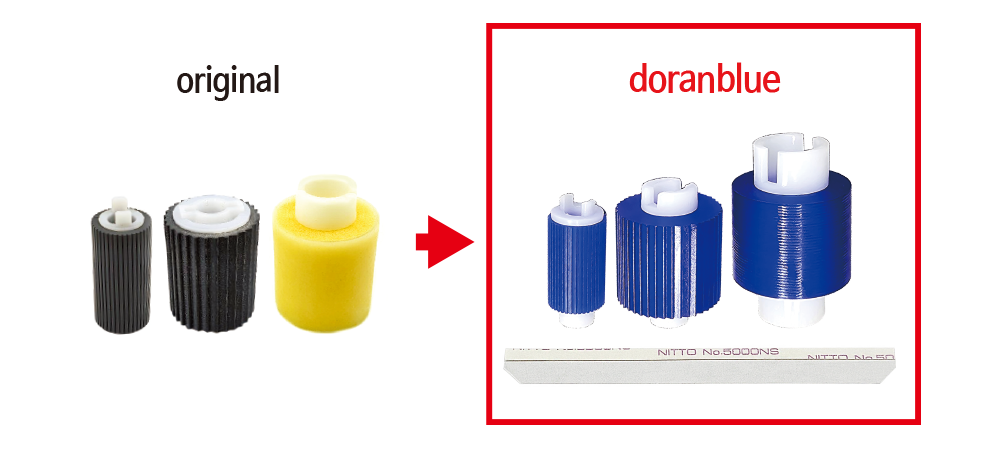
The role of film in the cassette tray
It serves to reduce paper jams by attaching a film to the opening where the paper enters the main unit from the cassette tray, allowing the paper to feed smoothly.

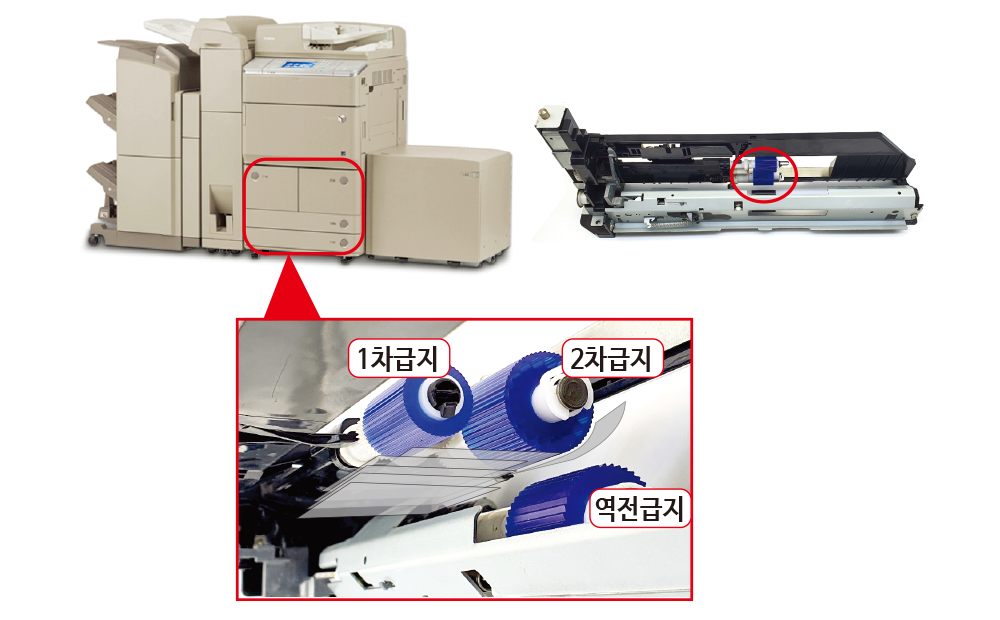
How to load film into the cassette tray
1st and 2nd stage installation method
Attached to the outside of the cassette tray
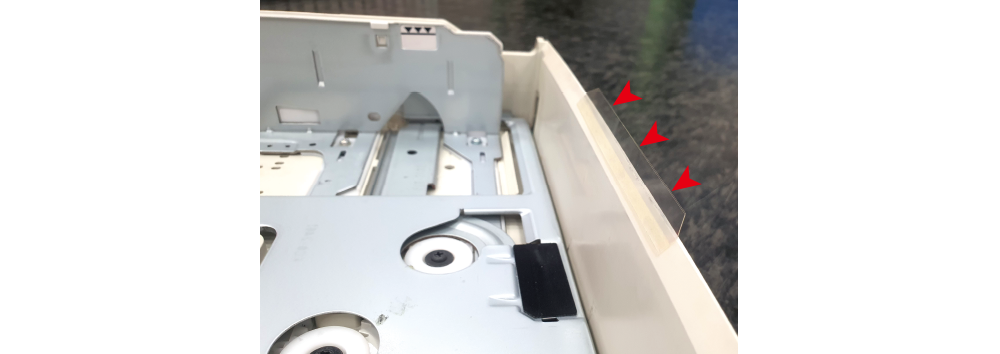
1. Please attach it to the outside of the part where the paper enters the main body of the cassette tray. As shown in the photo below, the location where the film can be attached is marked on the upper right outer side of the paper tray.
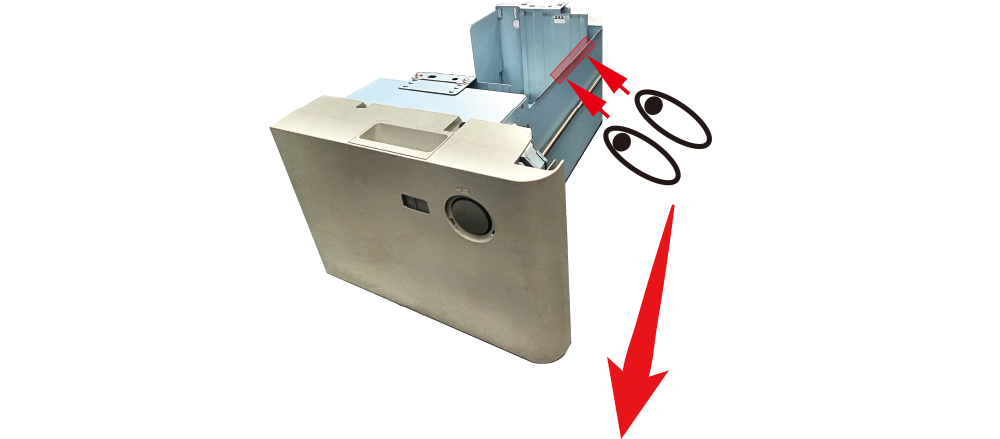

If there is no mark for the film attachment area as shown in the photo above, mark a point 10.3 cm from the edge of the paper tray and attach the film; this will attach it to the center of the paper tray.
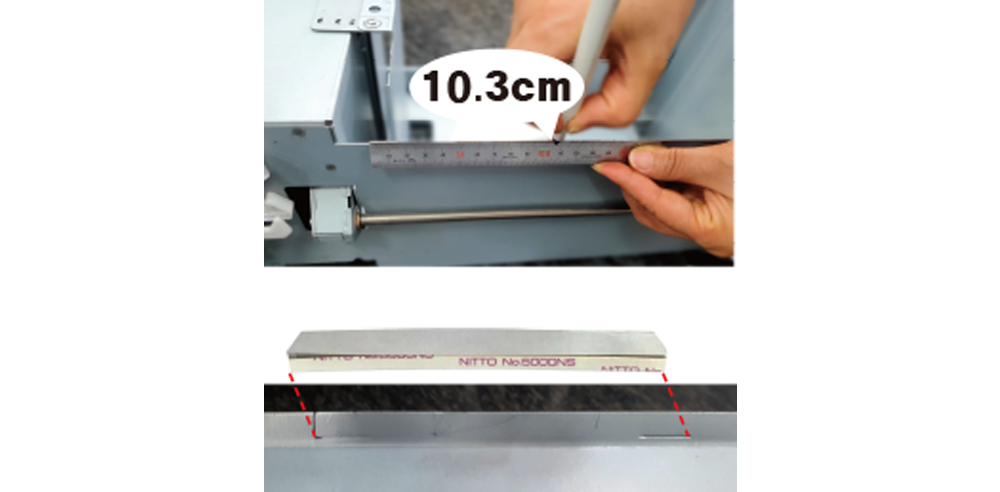
Please peel off the paper from the film and attach it to the marked area.
(Must be attached to the center of the cassette tray)
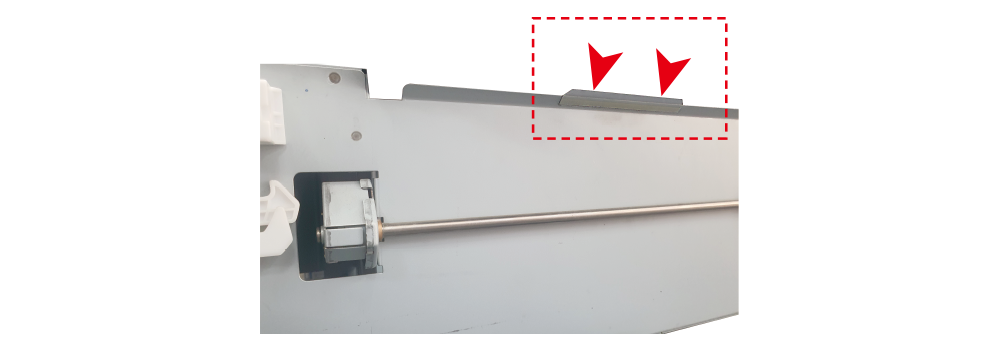
Make sure to attach it to the outside of the paper tray.
3rd and 4th stage installation method
Attached to the inside of the cassette tray
1. Gather the cassette paper tray organizer inwards and position it in the center.
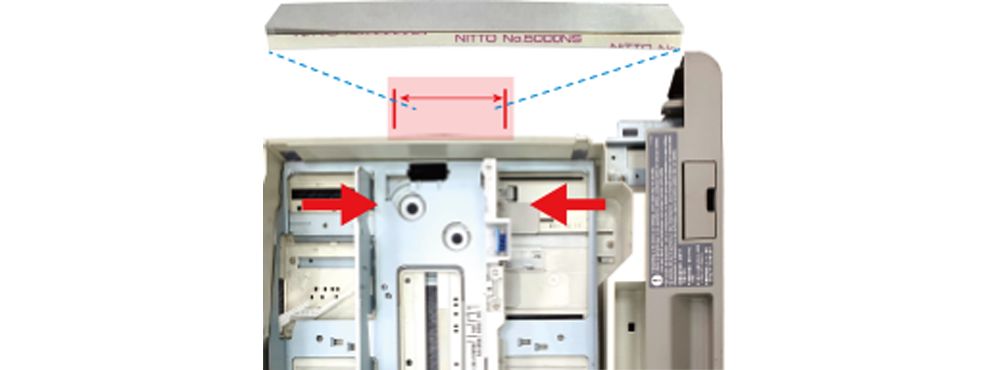
2. Peel off the paper backing of the film and align it in the center. When attaching the film, please place it in the center of the adhesive area as shown in the photo below.
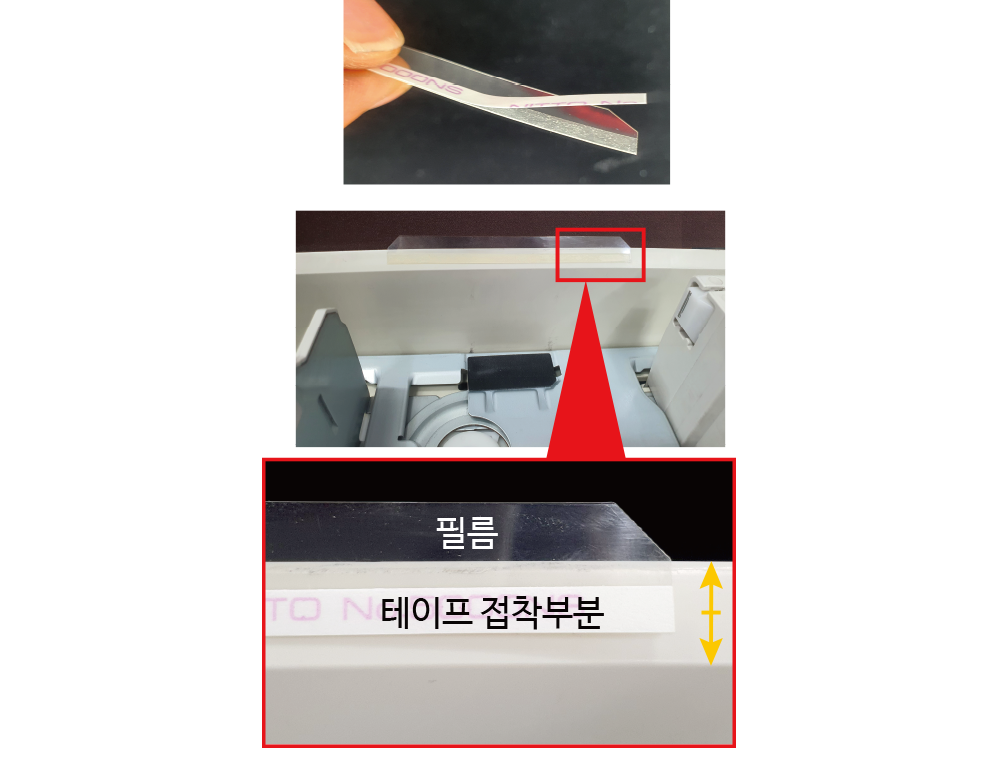
Please attach the adhesive tape so that it is in the center of the area where it is to be applied (yellow arrow).
Make sure to stick it inside the paper tray.
| Model | |
| 호환기종 | |